To control a small device by voice, you need one thing above all else: stable recognition without continuous recording and without false starts. In this post, I present a practical solution that runs locally, uses a dynamic threshold, and automatically starts and stops sequences. The focus is on functionality and everyday usability, not the internet.
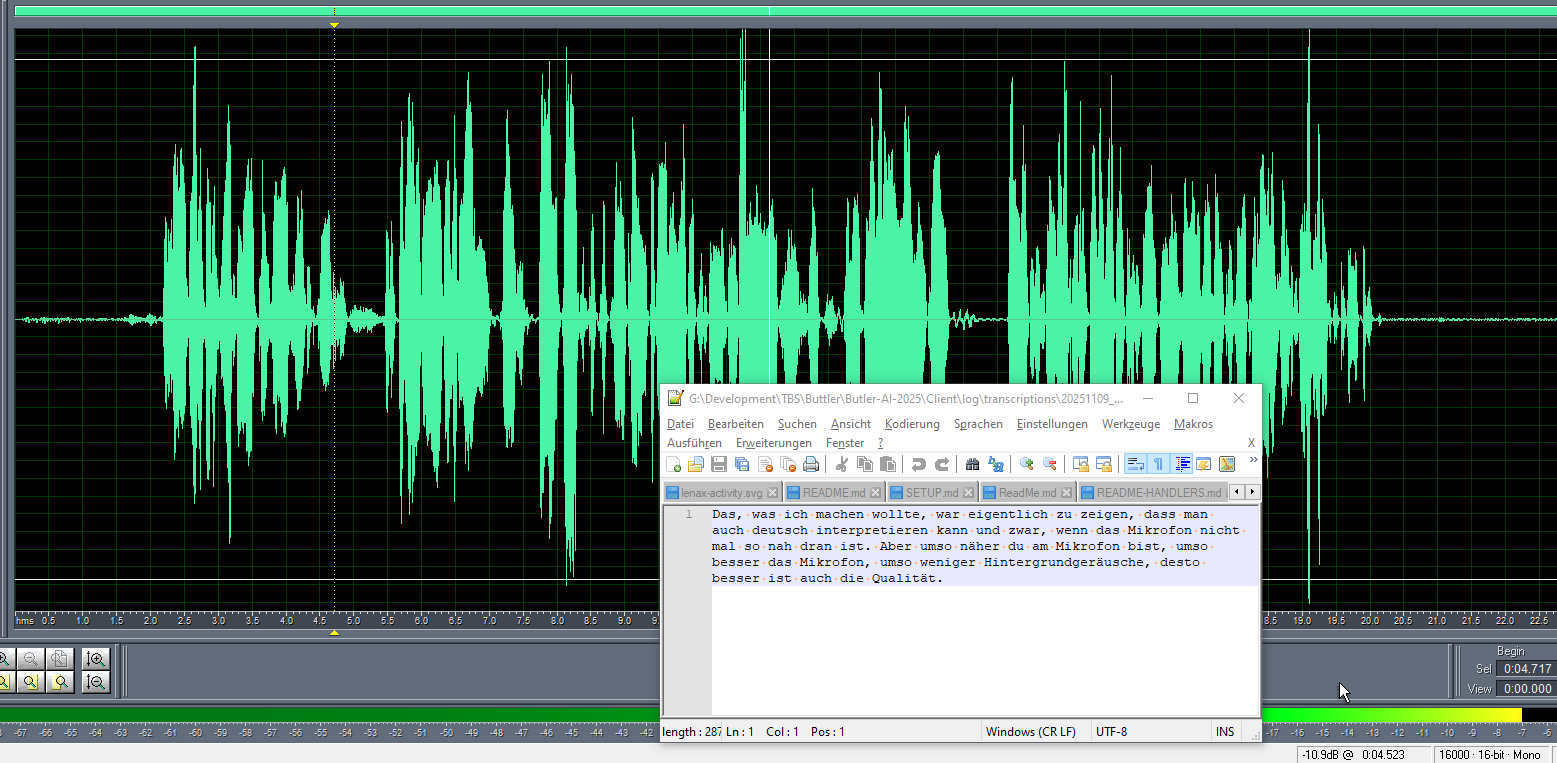
<p>Noteworthy: the transcription can start cleanly before the threshold and also end cleanly afterward. We haven’t missed the first few syllables but entire words, which enhances the quality.</p>
Goal
Reliably capture short voice commands and save them as text. Everything works offline. Ideal for edge devices, workshop PCs, mini servers, or a quiet office computer. This solution fits the TB-Software style of compact project posts and how-tos. TB-Software
This is how it works in operation
- Start via
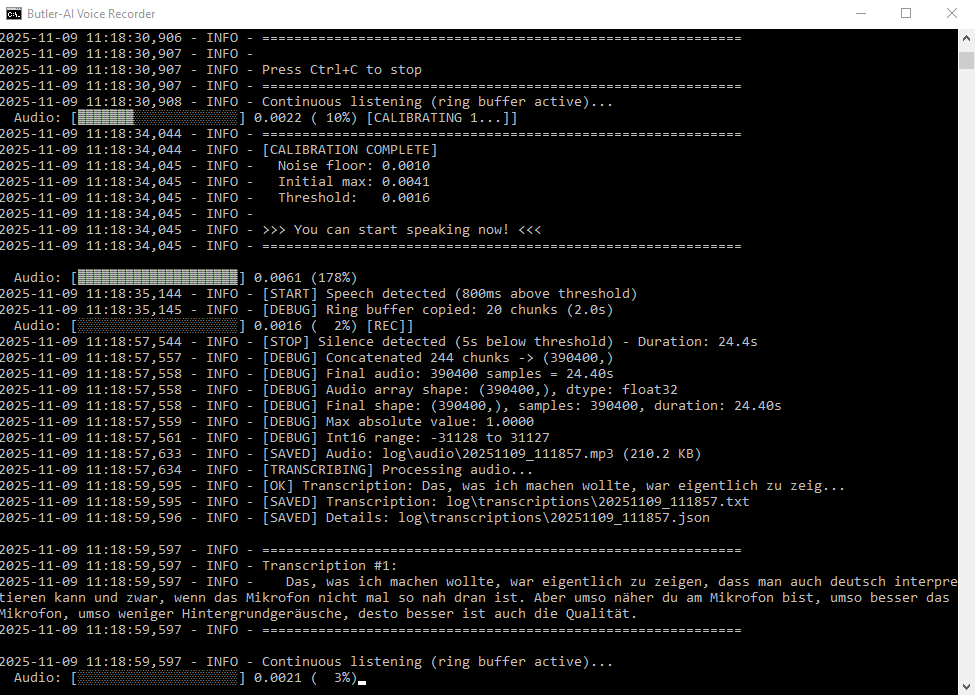
start_voice_recorder.bat. - Stay quiet for a few seconds first. The system is calibrating the ambient noise in the room.
- Just speak naturally. Recording only begins when your voice clearly exceeds the measured baseline level.
- Short sounds like a single “huh” are ignored. A complete sentence like “Hello, how are you today” is recorded.
- The recording automatically stops after about five seconds of silence.
- You will find the result in the folder
logAudio as MP3 and transcript as TXT or JSON.
Why this process is robust
- dynamic threshold adapts to the room. Quiet basement, loud office, varying fans.
- Pre-recording buffers the last two seconds. Nothing at the beginning of the sentence is lost.
- quiet phase prevents interim evaluations during thinking pauses
- Segment boundary After silence. Each command is cleanly terminated and can only be processed afterward.
Typical use cases
- Sticky note on the workbench.
- Short commands for a home automation gateway.
- Hands-free operation in the lab when your hands are full.
- Logs during testing, without cloud dependency
Quality in practice
Recognition runs locally and doesn’t require the internet. Online models often understand a bit more, but for clear sentences at normal distance, the quality is sufficient in many environments. The key factors are the microphone and its proximity to the voice. The closer it is, the less ambient noise, and the cleaner the transcript.
Tips for stable results
- Microphone positioned 10 to 20 cm in front of the mouth.
- Quieter keyboards and fans help.
- Use short, clear sentences.
- Use a headset in very reverberant rooms.
Files and logs
log/audio/…mp3contains the recording.log/transcriptions/…txtis the raw textlog/transcriptions/…jsonincludes details such as timestamps
limits
- Very quiet speakers or strong interference noises can lower the hit rate.
- Very short single-word sounds are intentionally not captured to keep the system quiet.