

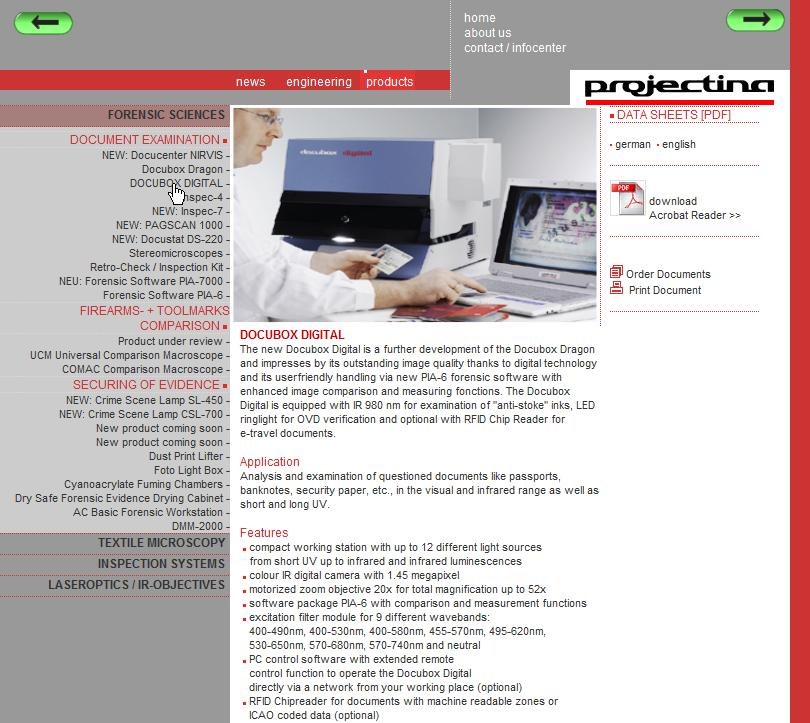
Customer: Projectina AG, Heerbrugg (SG), A Division of Forensic Technology
End customers: Police, customs, border controls worldwide
Time period:010–2024 (until PIA-7)
What PIA-7 is
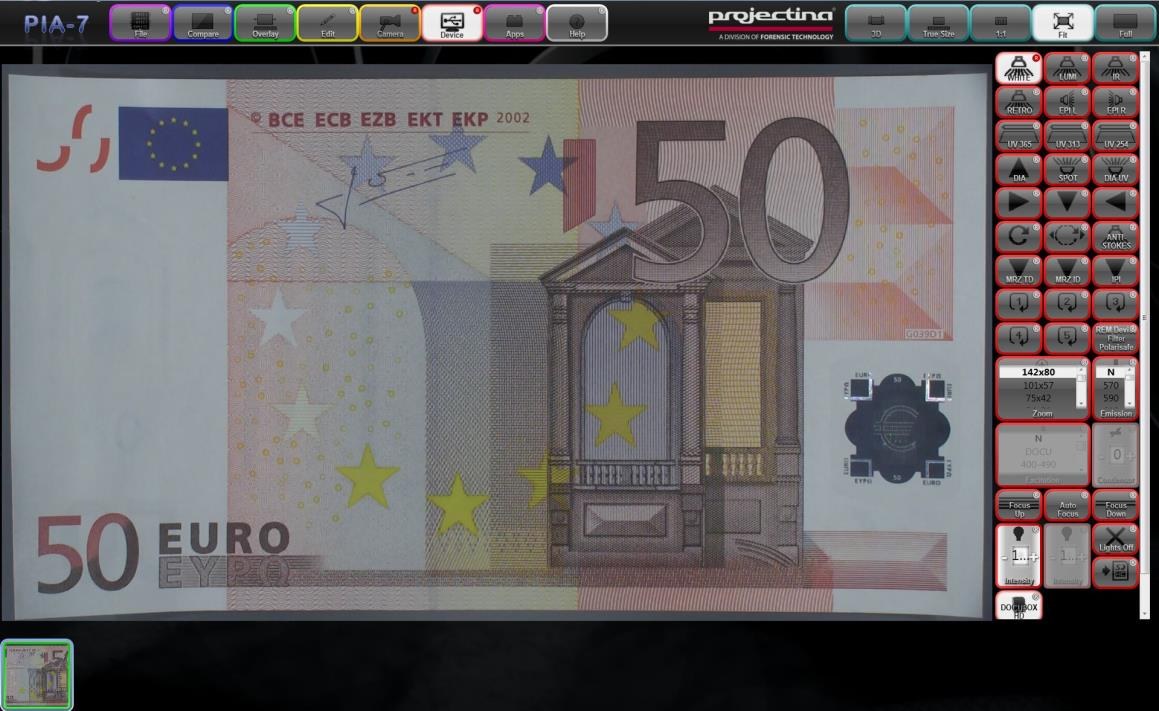
The PIA-7 imaging software offers functionality for applications such as forensic document examination and microscopy. Images are captured, compared in various modes, and stored. Multiple cameras are supported. Remote control of Projectina document inspection devices (e.g., Docubox HD, Docubox Digital) is possible directly from the software.
Main menu: eight function groups
- FileFile operations: Load, Save, Print, Copy/Paste
- CompareMeasurement tools: Mask, Frame, Tangent, Tangent Mode, Move Tangent, Transparency, Difference, Red/Green Overlay, Superimposition, Chopper, Chopper Delay
- OverlayAnnotation tools: Grid and annotations over the image
- EditImage adjustments: Mirror, Rotate, RGB Channels, Hue, Saturation, Brightness, Inversion, Black & White, Contrast, Sharpen
- CameraCamera settings: Digital Zoom, ROI, Noise Reduction, Auto and Manual Exposure, Gain Control, Auto and One-Push White Balance, RGB Channel Control
- DeviceDevice control: Remote control of Projectina devices (e.g., Docubox HD/Digital), including 14 light sources: UV-A 365 nm, UV-C 254/313 nm, IR Luminescence, Oblique Lighting, Anti-Stokes Inks-IR, Multi-Angle Ring Light
- AppsSpecial features: MRZ (Machine Readable Zone, reading of pass and ID cards), IPI
- HelpHelp functions and debug information
Five view modes
- 3DD view of various panels, navigate by clicking and dragging between the panels (similar to a touchpad)
- TrueImage in original size (1:1 to reality, requires correct calibration)
- 1:1One camera pixel to one monitor pixel; best image quality, no recalculation during digital zoom
- FitFits the image into the available space in the application window
- FullFull screen mode, back with ESC
Image manager and static area
The lower part of the application window is reserved as an image manager, a central image management system that displays all loaded images as thumbnails. Images are compared side by side here, for example during the comparison check of a suspicious document with an authenticity pattern.
Solution: technical architecture
Professional Windows desktop software in C#/.NET (WinForms / WPF). Plugin architecture: each hardware device and each new light source is its own plugin that can be added without core changes. SQL backend for the frequency/wavelength database and programmable test sequences. Dongle-based licensing. International multilingualism. Printing function for test protocols. Training seminars 2014 on-site in Heerbrugg.
IPI: make hidden text in security documents visible
One of the specialties in PIA-7 is the IPI algorithm (Invisible Personal Information), which I developed for Projectina. Many security documents (passports, banknotes, IDs) have additional personalized texts embedded through the printing grid that are invisible to the naked eye. They appear as neutral security structures or guilloche patterns. The IPI logic in PIA-7 analyzes the grid, compensates for printing distortions and camera perspective, and makes the hidden text readable.
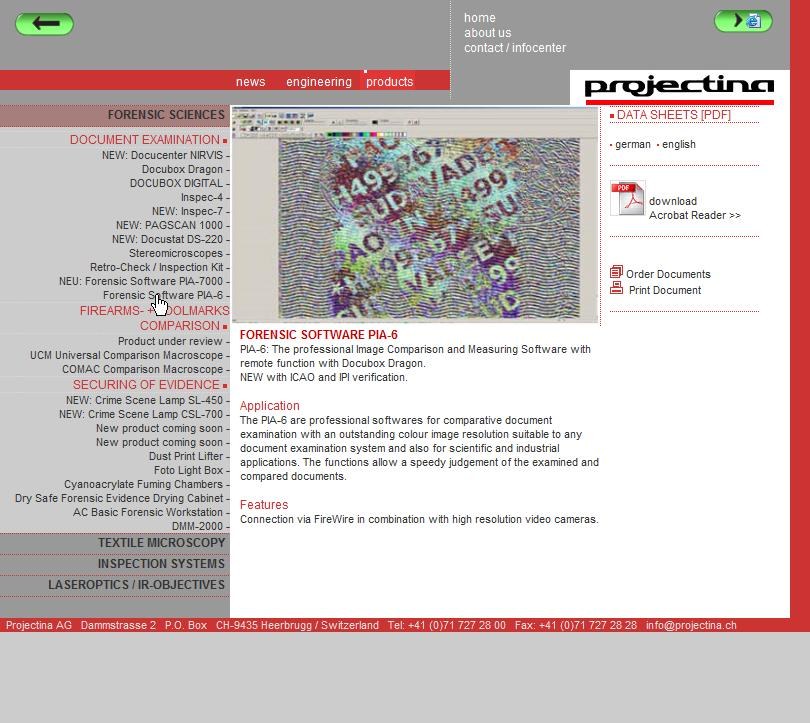
Practical application: a border officer scans a suspicious passport in the Docubox, PIA-7 focuses on the security print grid and delivers the embedded personalized text (e.g., name or passport number, which were invisibly included alongside the visibly printed content) within seconds. If this does not match the visibly printed content, it is a clear indication of forgery. Combined with the MRZ reading (Machine Readable Zone) in the same apps block, both security layers are checked in a workflow.
TB-PluginManager: visual node editor, since 2013
What distinguishes PIA-7 from typical forensic software is the TB-PluginManager. It allows entire inspection workflows to be assembled as a visual diagram from building blocks: each plugin is a node with input/output interfaces that are connected in the grid via mouse. Properties per plugin directly editable in the UI. Configuration is saved as .pip-file (XML) and can be switched on-the-fly via dongle or in the UI, in the middle of operation, without restarting the software.
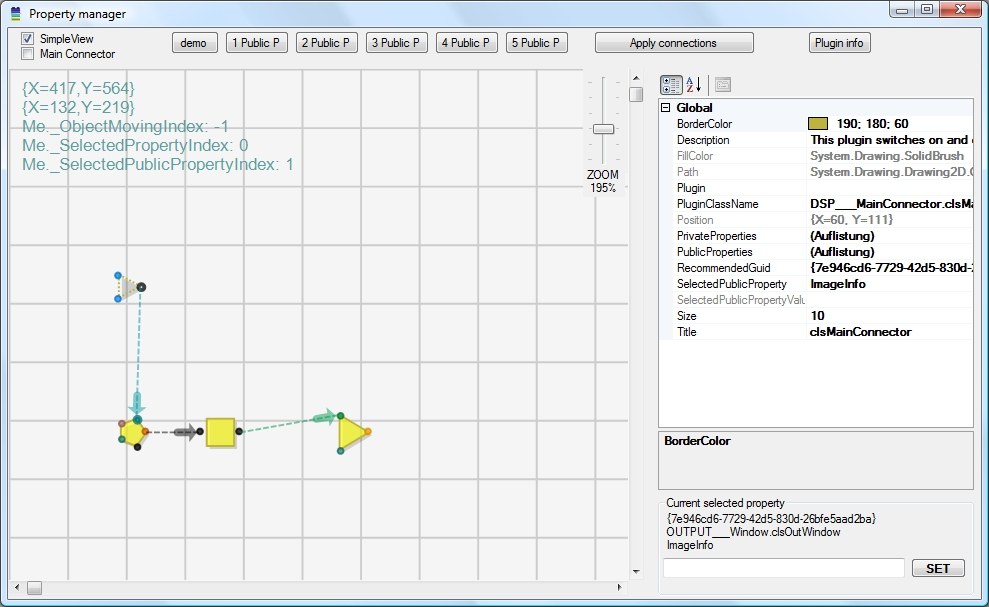
A standard configuration for a Projectina Docubox HD contains about 60 plugin instances, combined from around 25 plugin classes. Each class a clearly defined building block:
- Hardware connection:
DocuboxRemotefor the device family,Matrix_Donglefor the license,SettingsManagerfor persistence. - Image processing:
Filter,AlphaBlend,ChannelMixer,Sharper,Mirror,Rotation,ImageBuffer,ImageManager. - Forensic comparison modes:
Tangent(Pixel difference),Chopper(Switch flicker),MaskSelektor,Annotation,Grid. - UI composition:
GuiPanelMergercreates the user interface live from multiple plugin panels,NumericUpDown-widgets for value inputs,Ipifor the special mode. - Logic & utilities:
MainConnector(main switch),ChangeRecognizer,ValueConverter,ImageCloner,DebugInfo.
The .pip-configurations are versioned (P001, P002, … P228+) and cover various hardware generations over the years: Docubox 6, Docubox HD, TIS camera family. Each configuration is a complete application; service technicians can adjust, export, import at the customer’s site, and perform live tests without code changes. The system has been in use since 2013 and still functional today.: the same visual paradigm that is now popular with Blender geometry nodes or Unreal Blueprints.
Setup with your own TB-Installer
- Your own installer instead of WiX/MSI, in C#/.NET, lean, no Windows Installer service required.
- Performance tests live during setup: CPU, RAM, screen resolution and a real frames-per-second test on the image processing pipeline. Depending on the result, other modules/drivers are installed.
- Hot-Swap ready: Configuration files (
.pip) can be exchanged at any time after installation without reinstalling.
Result
- In use internationally with police, border controls, customs and forensics worldwide.
- Over 14 years maintained up to PIA-7, each major release with new devices and light sources, without breaking existing installations.
- Swiss premium hardware (Projectina, Heerbrugg) + Swiss premium software (TB-Software, Widnau), both in Rheintal, about 10 km distance.
- Plugin system allowed new device, light source and filter extensions for decades without core changes.
Tech Stack
C# / VB.NET · WinForms · WPF · SQL · TB-PluginManager (visual node editor since 2013) · .pip-config format · serial port · camera driver (Baumer SDK) · dongle licensing · own TB installer · MRZ recognition · multilingualism
Manufacturer contact
Projectina AG · Dammstrasse 2 · CH-9435 Heerbrugg · Phone +41 71 727 28 00 · www.projectina.ch