
SystemLocker
The key to your PC.
Log in without a password – and keep strangers out. Via a physical USB dongle.
Two tasks – clearly separated
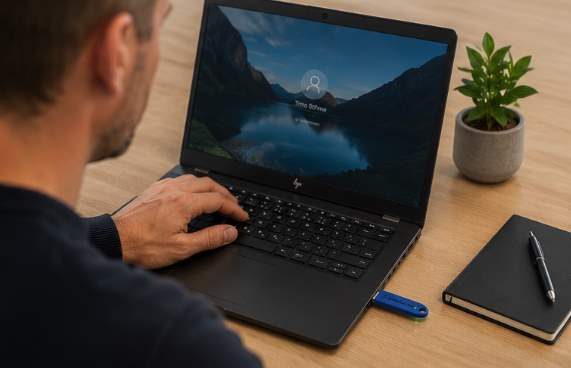
Plug in, Windows logs you in. No typing, no remembering.
No access without dongle. The account password is long and cryptic – not guessable, not observable. You never type it. With BitLocker, data remains encrypted in case of theft of the powered-off device.
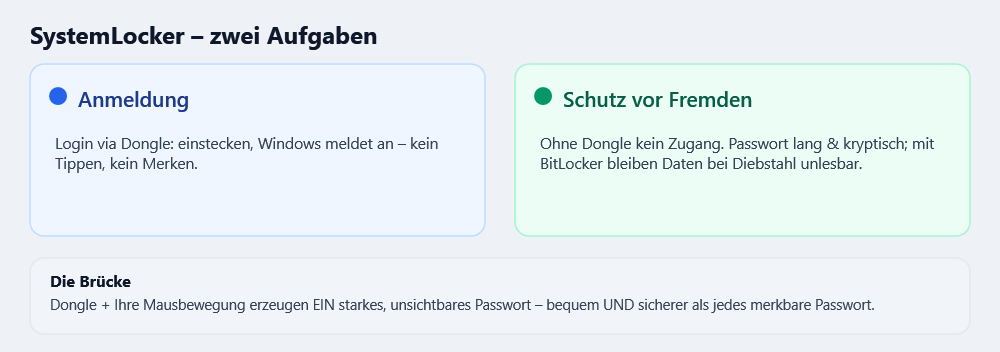
The bridge: a strong password from dongle + mouse movement
When setting up, the dongle and your mouse movement together generate a long, random password. You never know it – the dongle provides it. This is how login works. both comfortable and more secure than any password a human could remember.
The problem
Passwords are forgotten, shared, observed, or too weak. Real hard drive encryption is cumbersome for many people. Comfort and security often exclude each other in everyday life.
The solution
SystemLocker turns the dongle into a key: It handles login and authorization, the password is strong and invisible, and encryption is taken care of by proven Windows technology (BitLocker) in the background – without anyone having to type anything.
The dongle replaces password entry and automatically selects the correct profile.
Generated from Dongle + mouse movement. No one can guess or observe it.
The same clone dongle sets the same password on every computer.
With BitLocker, the data on a turned-off PC remains unreadable.
Different dongles open different accounts, cryptographically separated.
Recovery data is automatically and encryptedly backed up at TB-Software. Only a TB-Software admin can restore from it.
Here’s how it works – in 3 steps
Plug the dongle into the PC before starting. USB-A, driverless, recognized directly at the login screen.
The PC recognizes the dongle and logs your account in. No password. In 1–2 seconds.
Your data are decrypted and ready. When leaving: take your dongle with you.
Security – honestly explained
- Login: No access without dongle (password tile optionally hidden). The password is long and random – brute force attacks stand no chance.
- Data in case of loss/theft: This is handled by BitLocker + TPM. A switched-off, encrypted PC only provides unreadable ciphertext to a foreign boot medium – reading data or manipulating system files is thus practically impossible. Without encryption nothing protects the data from physical access – that’s why BitLocker is the recommended core.
- Emergency: A separately set up rescue admin prevents lockout. The dongle backup allows a replacement dongle without physical shipping.
- No promises of inviolability: We do not claim absolute invulnerability – no serious product can. SystemLocker, however, significantly raises the barrier to unauthorized access.
For whom
Small and medium-sized enterprises, law firms, practices, and individual workstations with sensitive data. Anywhere where simple, password-free access and Protection from strangers also matters.
SystemLocker_v1.0.52.zip
· From the running application
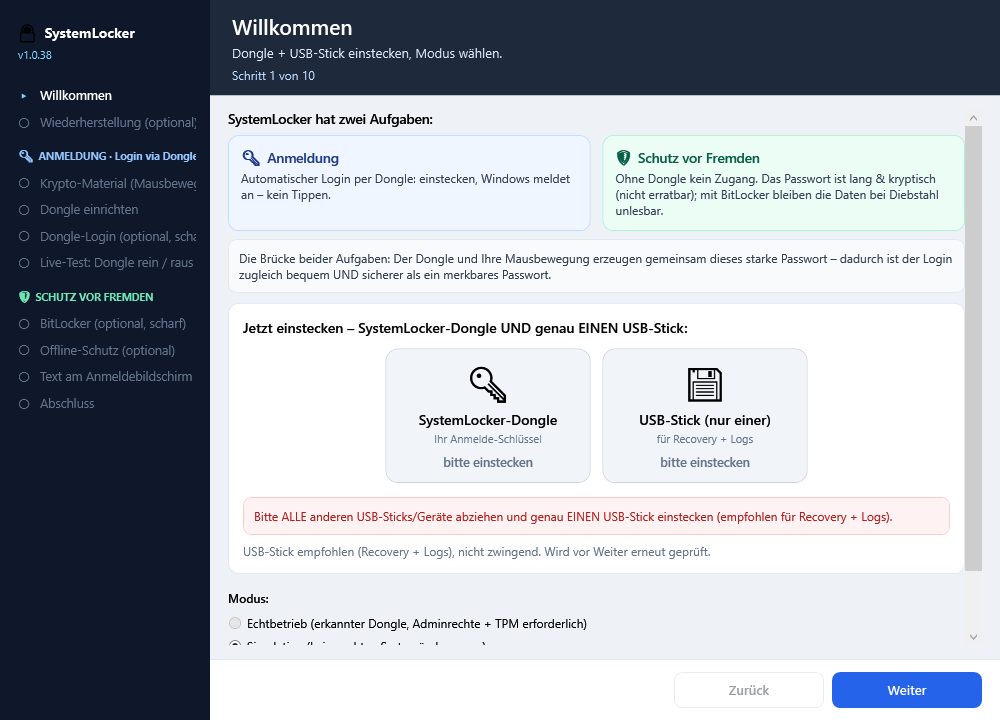
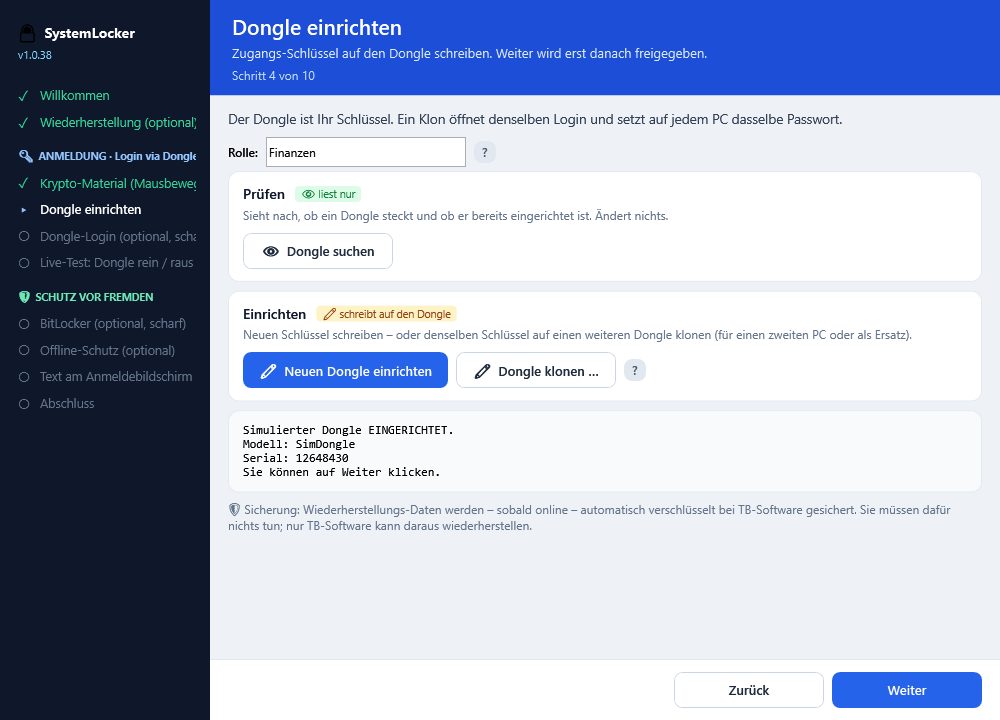
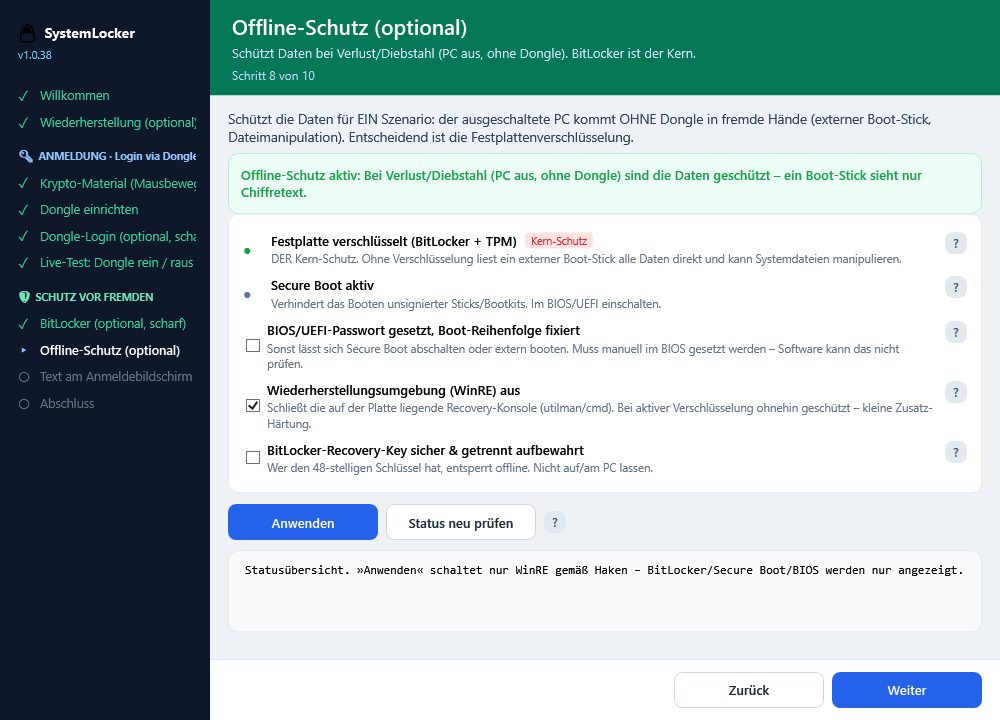
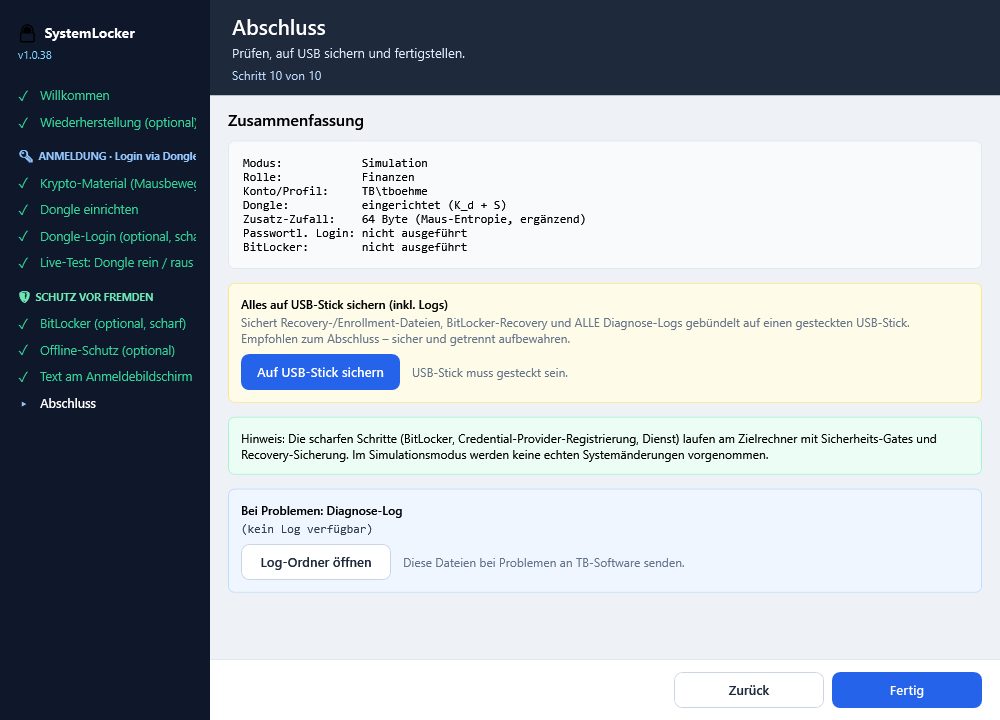
Show all 10 wizard steps
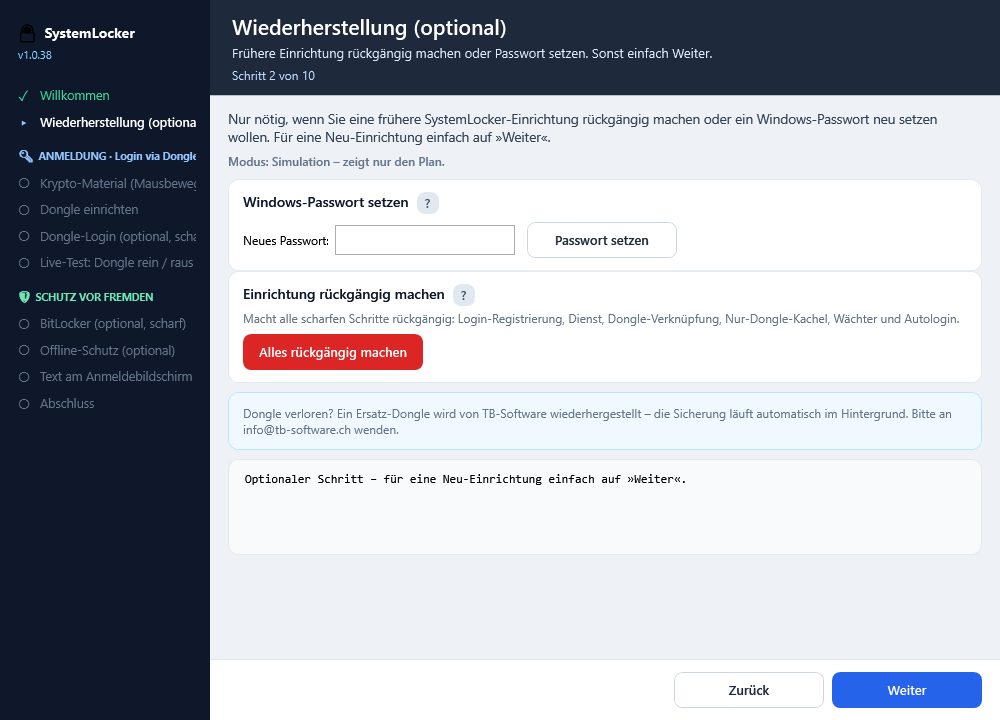
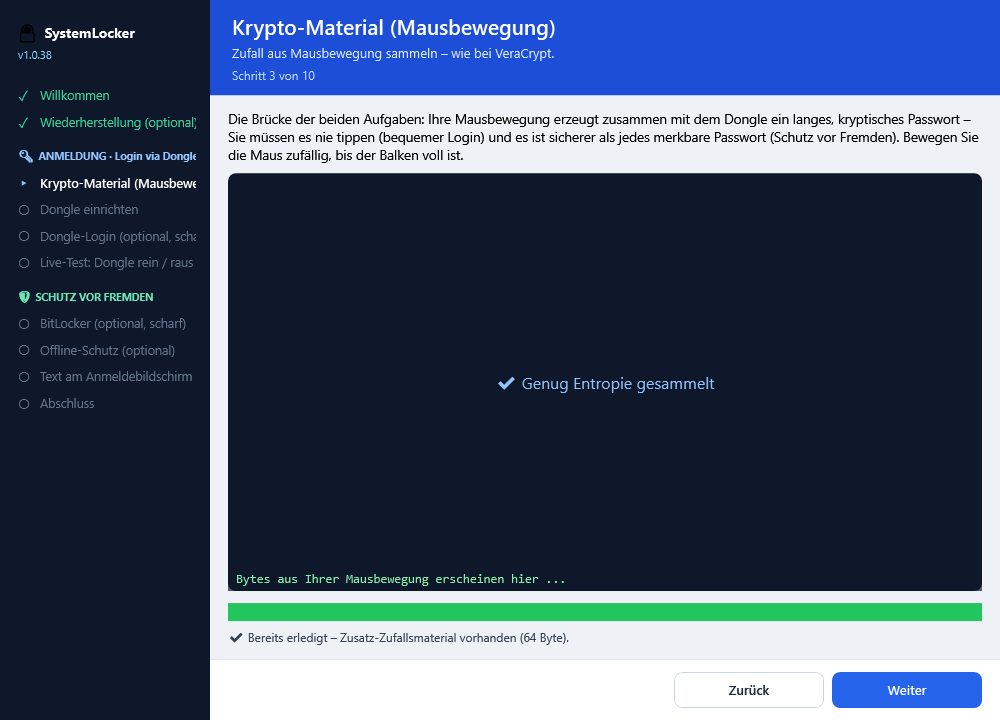
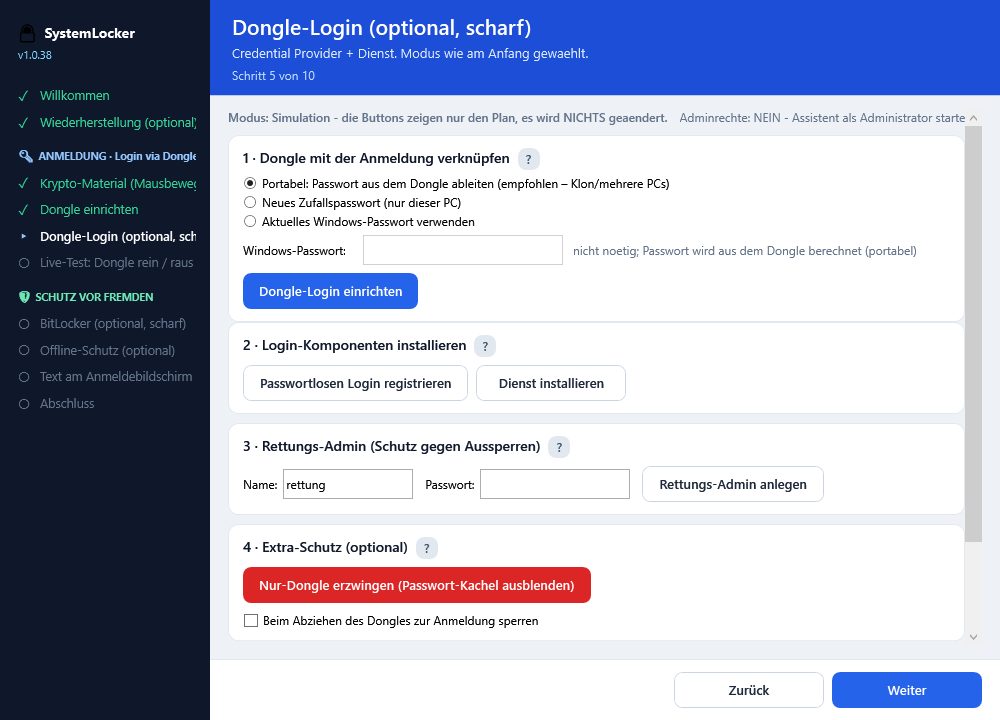
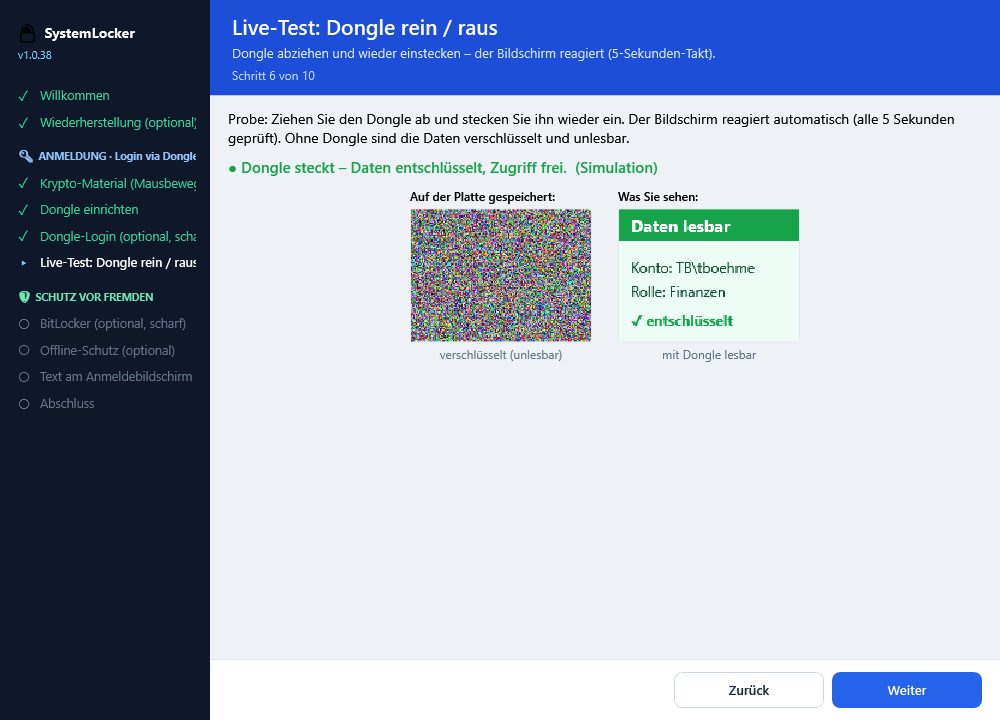
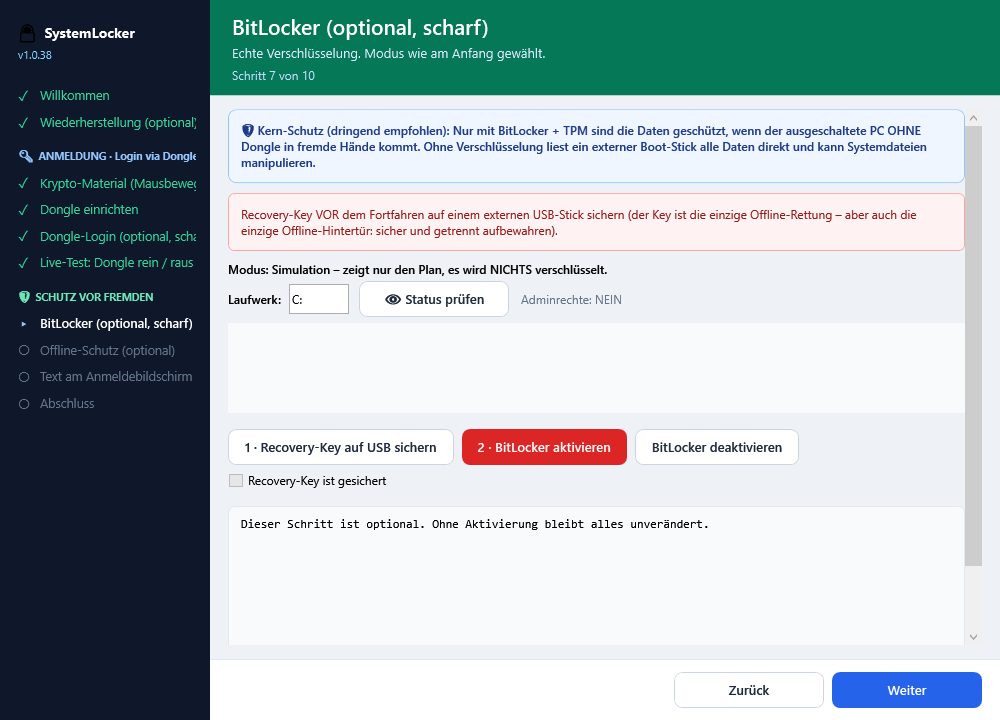
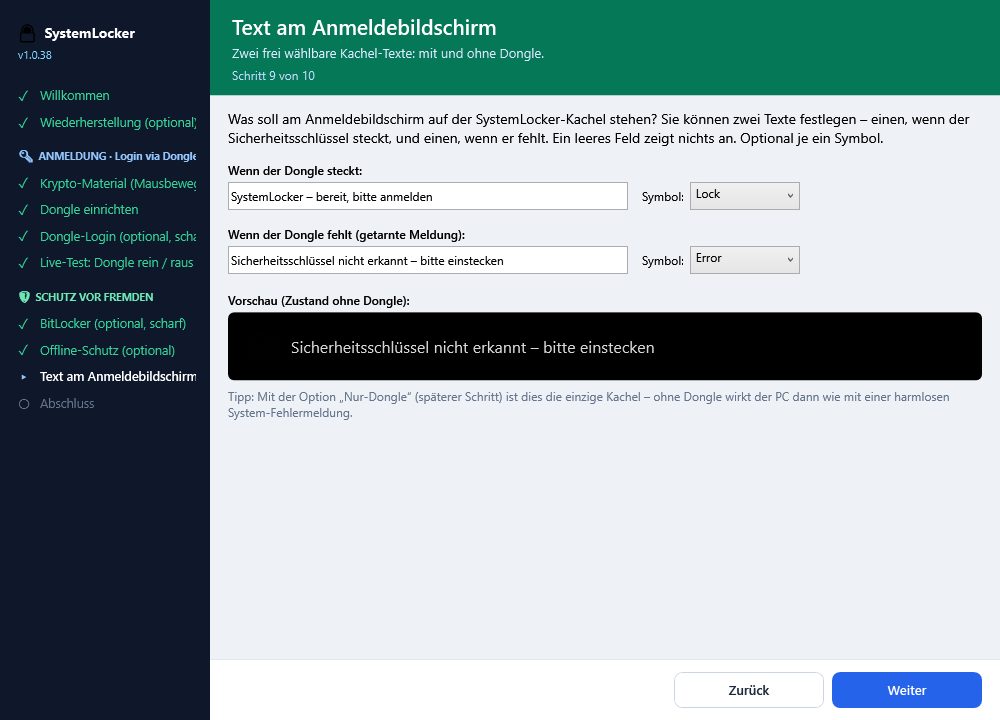
All visible values (role, account, serial) are demo data, no real secrets.
Prices
All prices incl. VAT, in CHF. Free shipping within Switzerland. Each dongle is already provisioned and ready to use with the purchased set.
- For one user and one PC
- Fully ready for use
- Rescue admin can be set up
Order now · CHF 129.–
- main dongle for everyday use
- spare clones (identical key material)
- If the main dongle is lost, report the replacement as if nothing happened
- Keep spare dongles separate (safe, second location)
Order now · CHF 159.–
- For family or small team
- Optionally: 5 clones for one account, or 5 individual dongles for 5 accounts
- Each dongle has its own serial number
- We program according to your wishes
Order now · CHF 199.–
Ideas outside these sets? Additional clones, corporate rollout, custom programming: info@tb-software.ch – we build it to fit.
Frequently asked questions
Is SystemLocker for one or multiple users?
Both. Each USB dongle is exactly assigned to a user account. On a single-user PC, one person uses their dongle. On a shared PC, each person gets their own – Anna plugs in hers, Anna’s profile loads; Ben plugs in his, Ben’s profile loads.
How secure is that?
The protection isn’t in a password that can be guessed, seen, or stolen through phishing, but in actual ownershipOnly those who have the correct physical dongle can enter. Technically, the login secret is encrypted and can only be released with the matching dongle – the key material never leaves the dongle in plain text. Additionally, you can encrypt the hard drive using AES-256-GCM so that even removing the drive won’t help. so that even removing the drive won’t help. Can I still access the system without a dongle?
In fully activated dongle-only mode: no. Without a valid dongle, there is no login – that’s the point. For emergencies, the assistant sets up two safety nets: a separate
rescue administrator account and a encrypted recovery copy (e.g., on a USB stick). Both are with the administrator, not the daily user. (e.g., on a USB stick). Both are with the administrator, not the daily user.
What if I lose my dongle?
Each main dongle includes spare dongles (clone), which logs in identically. If you lose the main device, simply use a backup device and report it to the administrator. If all are lost, the administrator restores access via the backup or rescue account. Keep backup dongles separate, for example in a safe.
Can individual programs or folders also be locked?
Not at the moment. SystemLocker secures login and optionally the entire hard drive. Targeted locking of individual programs or folders is not currently included but can be implemented upon request. Contact us.
Technical data of the USB dongle
| Design | Small USB plug (USB-A), robust plastic housing |
| Connection | USB 2.0, driverless (HID mode) |
| power supply | Fully via USB, no battery |
| Weight | A few grams, easily portable on a keychain |
| Memory | Small, protected storage for the key material |
| Response time | Automatic login in 1–2 seconds |
| Maintenance / Network | No maintenance required, no internet connection needed |
Exact dimensions and power consumption according to hardware datasheet
Do I still need to remember a password?
No. The dongle handles the login; you don’t type anything. SystemLocker sets a new, strong, random password that only the dongle knows. This makes any old, weak password completely obsolete. What do you see when starting the PC without a dongle?Can it be traced where and when SystemLocker was installed?
SystemLocker secures the login and, optionally, disk encryption – it is not a backup program for your files. Access to data in case of emergency is important: For this, the assistant sets up several ways –
Instead of “locked,” the login screen displays a harmless message freely chosen by the administrator (e.g., “Security dongle not detected” – or any custom text). The PC appears as a normal system with a message, not like a safe. The data remains encrypted and unreadable with BitLocker.
How quickly does login happen, and what happens when the dongle is removed?
With the dongle inserted, the PC usually logs you in automatically within 1–2 seconds. Optionally, you can set it so that removing the dongle during operation immediately returns to the login screen – ideal for short breaks. This option can be enabled or disabled at any time.
remote maintenance
Yes – SystemLocker provides detailed, transparent diagnostic logs on the device. For larger installations, a central tracking is also provided (which PC, which account, which step, when) – without passwords or keys leaving the device.
Can I back up my data or restore it in case of emergency?
SystemLocker secures the login and, optionally, the disk encryption – it is not a backup program for your files. Access to the data in an emergency is important: For this, the assistant sets up several methods – (e.g., on a USB stick). Both are with the administrator, not the daily user. (e.g., on USB), the BitLocker recovery key and that and a. We additionally recommend a regular data backup.
Does the PC need to be online?
No. Login, dongle, and encryption work fully offline. If the PC is online, the recovery data will be automatically and securely backed up at TB-Software (only a TB-Software admin can restore from it). Without internet, the backup will be done next time. No internet connection is required for daily operation.
Can a dongle be reprogrammed remotely?
Conditionally yes. The dongle can be reset or updated with a special program – it just needs to be plugged into the user’s PC. This way, an adjustment can be made via remote maintenance can be performed without having to physically send in the dongle.
For developers and administrators
SystemLocker comes with a documented REST-API for centralized recovery, installation logging, and metrics. Endpoints, data models, HMAC signature, and C# sample code: